Proses uninstall software security seperti Antivirus sebenarnya tidak berbeda dengan software lainnya, tetapi tidak jarang antivirus susah di uninstall, atau kalau sudah di uninstall sering meninggalkan sisa baik file atau setting di komputer, sehingga ketika mau menginstall antivirus lainnya sering bermasalah. Untuk mengatasi hal ini, kita bisa menggunakan AppRemover.
AppRemover merupakan software gratis yang di buat khusus untuk menghapus antivirus ( uninstall) yang ada di komputer dan akan berusaha membersihkan semua sisa-sisa yang biasanya di tinggalkan ketika proses uninstallasi biasa atau ketika proses uninstallasi tidak berhasil.
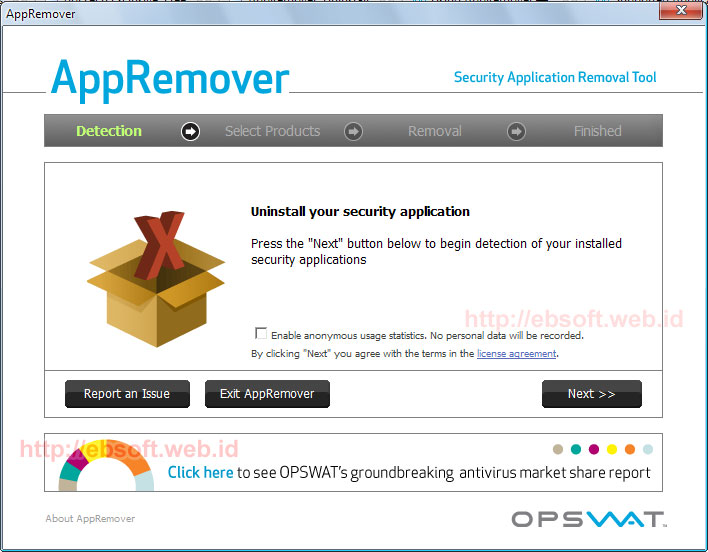
Selain mendukung puluhan Antivirus, AppRemover juga mampu menghapus berbagai produk Antispyware. Daftar ini juga senantiasa di update seiring dengan update software ini sendiri. Berikut beberapa produk yang didukung oleh AppRemover :
- Avast Antivirus, Internet Security ( versi 4.8 , 5.0.x dan 5.x)
- AVG : Antivirus, Internet Security, AntiSpyware, LInk Scanner, Identity Protection
- Avira Antivirus: Personal, Premium, Professional
- Bullguard Internet Security Suite
- Quick Heal
- CA Antivirus, eTrust
- ESET NOD32, ESET Smart Security
- F-Secure Antivirus, Internet Security
- G-DAta Antivirus
- Advanced System Care
- Kaspersky Antivirus, Internet Security
- Malwarebyte Antimalware
- McAfee VirusScan
- Microsoft Security Essentials
- Windows Defender
- Norman Virus Control
- Windows Live OneCare
- Panda Antivirus, Internet Security
- PC Tools Antivirus
- BitDefender Antivirus, Internet/Total Security
- Sophos Antivirus
- SUPERAntiSpware Free Edition
- Symantec Antivirus 10.x
- Norton Antvirus, 360, Internet Security
- Trend Micro, Trustpost, VirusBuster dan lainnya
AppRemover dapat berjalan di Windows 2000, 2003, XP (32 / 64 bit), Vista (32 / 64 bit), 2008, Windows 7 (32 / 64 bit). Program yang mempunyai ukuran sekitar 5.2 MB ini tidak perlu installasi (Portable), sehingga setelah di download bisa langsung dijalankan.
Penggunaan AppRemover
Penggunaan software ini relatif mudah, sebelumnya download Appremover.exe (5.2 MB), kemudian setelah selesai langsung jalankan. Setelah tampilan window pertama kali, klik saja Next. Disini kita bisa memilih dua opsi :- Remove Security Application. pilih jika kita ingin meng-uninstall antivirus (produk security)
- Clean Up Failed Uninstall. Pilih jika kita sudah meng-uninstall tetapi tidak berhasil (gagal). Atau juga untuk menghapus sisa-sisa antivirus yang sudah di uninstall yang mungkin tertinggal di komputer.